
Everything your chatbot needs to do.
From reading your website to reviewing the questions. No coding and no implementation project.
Knowledge
The chatbot knows what is on your website and stays up to date.
- Read your website
- It follows the links from your address and can also read the sitemap. Reading is free.
- PDFs and documents
- Documents are read too. Calendar dates from PDFs are also checked against the grid in the PDF.
- Check every date yourself
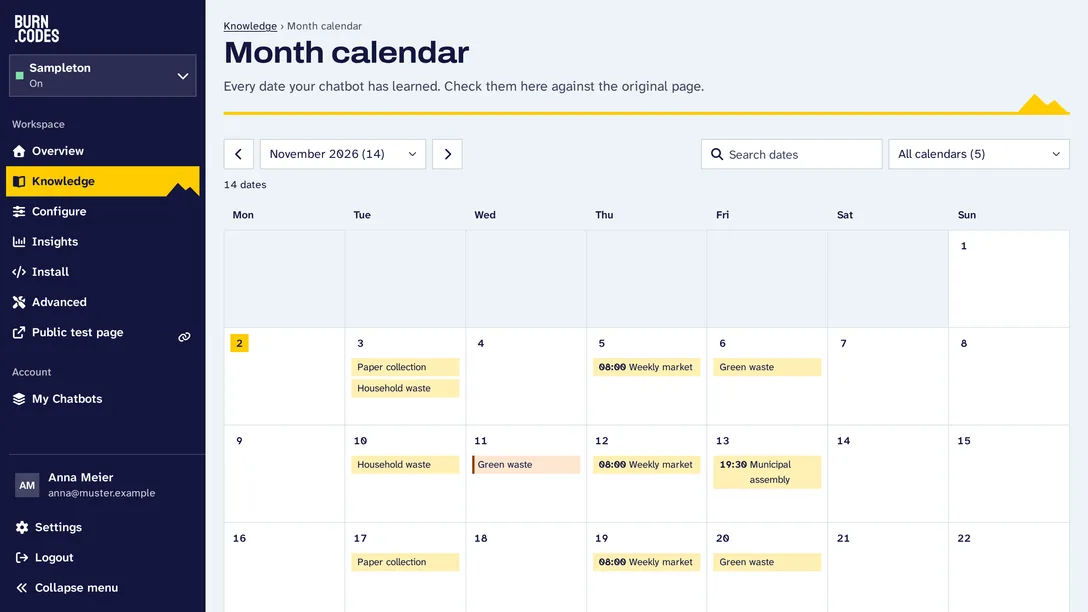
- The month calendar shows every date it learned, with its time. Search for an event and compare it directly with the original page.
- Leave out what isn’t needed
- Old minutes and outdated versions are recognised. You can exclude entire folders and addresses yourself.
- Automatically up to date
- Your website is re-read on a schedule. Only changes are learned, without asking up to a cost limit.
Answers
Short, checkable and in the language of the person asking.
- With sources
- Answers link directly to the right page or document.
- In any language
- The chatbot answers in the language it is asked in, even if your website is only in German.
- Forgiving of typos
- Misspelled names and terms are recognised.
- Knows today’s date
- For “next week” or “tomorrow” it works with the right day and names upcoming dates.
- Honest about gaps
- If something isn’t in its documents, it says so and points to your contact details.
- Subscribe to dates
- When asked about dates, it offers the right calendar for Apple, Google and Outlook, with the time wherever one is printed.
Look and voice
It looks like part of your website and sounds the way you want.
- Right in the preview
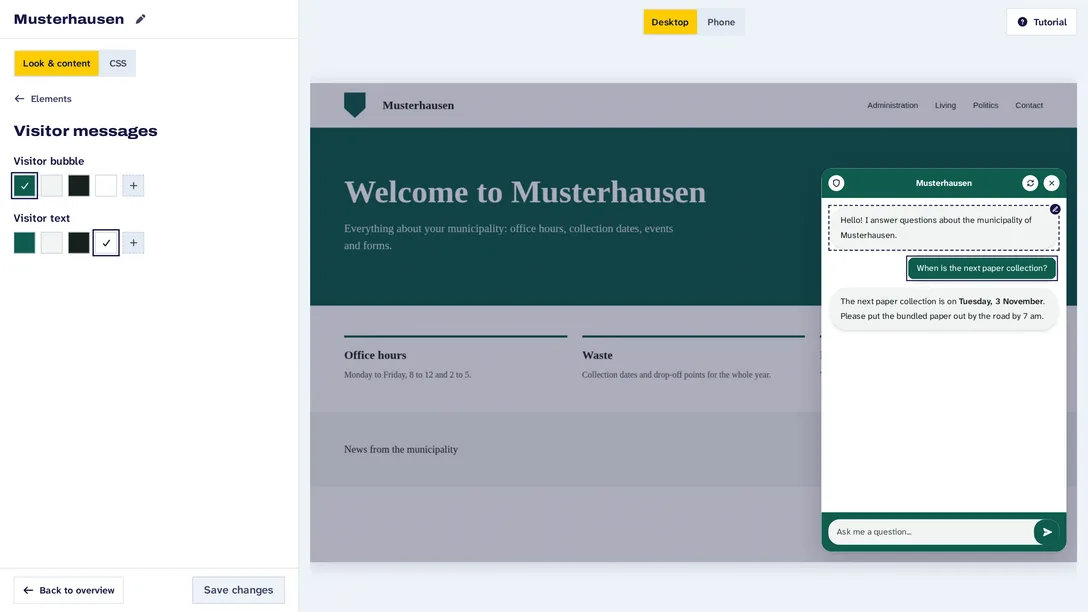
- Hover over a part of the chat and click the pen. Its settings open on the left, and the part stays marked while you edit it.
- On your own website
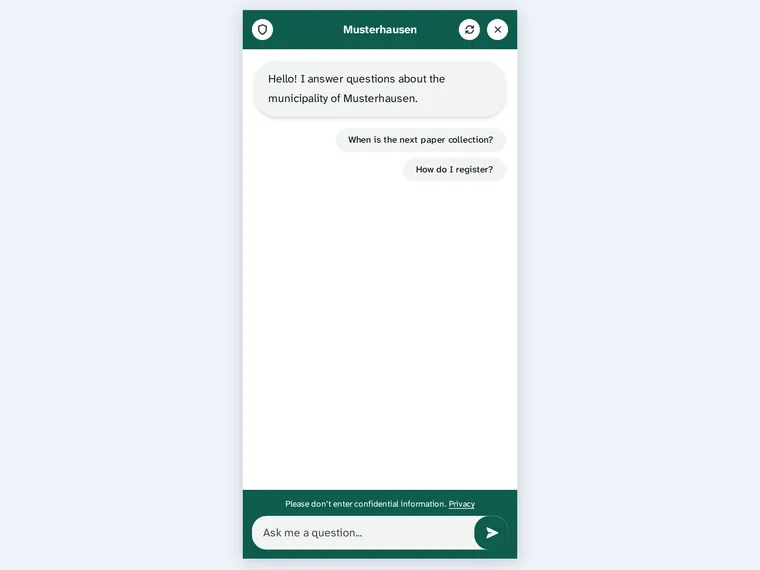
- The preview shows the real chat on a picture of your website, for desktop and phone. A change only goes live when you save.
- 13 elements
- From the widget button to the footer: each element has its own colours and texts.
- A warning when it’s hard to read
- If text and background are too similar, the editor tells you.
- Your own CSS
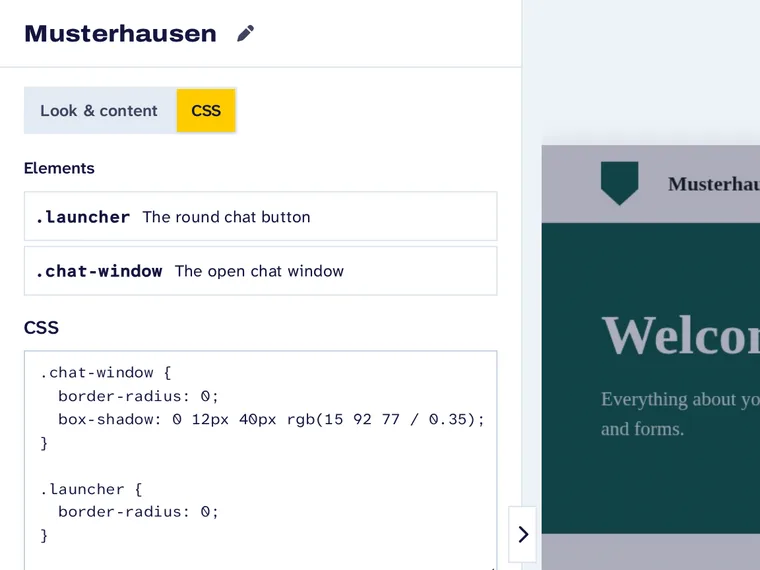
- For anything else, write your own CSS and see the result right away.
- Taken from your website
- Brand colour, logo and name are applied at the press of a button.
- Colours and fonts
- Your own colour palette and eleven fonts, all loaded from our server and not from Google.
- Tone of voice
- Pick a starting point and add your own rules in plain words.
- Greeting and suggestions
- Your own greeting and suggested questions people can ask with one click.
Installation
One line of code on your website, and later changes appear on their own.
- For any system
- With guides for WordPress, Wix, Squarespace and Webflow. The code is the same on every page.
- Test first
- A test page of its own, with an optional password, so you can try the chatbot with others before launch.
- Share conversations
- If you allow it, visitors can pass on a conversation as a link.
Reports and billing
You see what happens and what it costs.
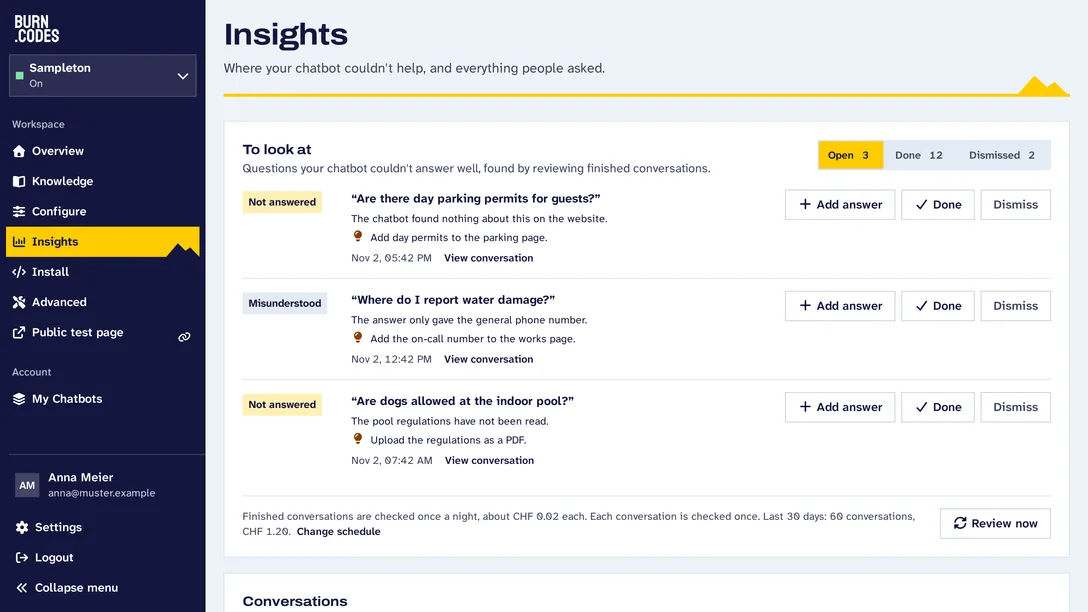
- Questions and conversations
- See how many questions are asked and read the conversations.
- Automatic review
- If you switch it on, finished conversations are reviewed and unanswered questions are listed.
- Every item listed
- Every top-up and every charge is listed individually in your billing, per chatbot.
- Dashboard in three languages
- In German, French and English.